
Upload Blog Post Format: How to Structure and Publish a Blog Post Correctly
Publishing a blog post is easy—but publishing it in the right format is where many website owners struggle. Poorly structured headings, lengthy paragraphs, missing SEO elements, unoptimized images, and messy URLs can make a post difficult to read and harder to manage. The solution is to follow a clear upload blog post format that organizes every important element before hitting the publish button.
See exactly how to structure a WordPress blog post, from the title and introduction to headings, images, links, SEO settings, and final checks. Follow these practical steps to create polished, reader-friendly, search-ready posts.
Read More: UploadBlog.com Categories: Guide to Choosing the Right One
What Is an Upload Blog Post Format?
Upload blog post format is the structure and arrangement used to prepare a blog article before uploading or publishing it on a website. It defines how the title, introduction, headings, paragraphs, images, links, SEO information, and other elements should appear. A properly formatted blog post is much easier for readers to scan and Understand. It also gives search engines clearer signals about the topic and organization of the page. For WordPress websites, a good blog post format usually includes an SEO-friendly title, a strong introduction, logically organized H2 and H3 headings, short paragraphs, relevant images, internal and external links, a meta title, meta description, optimized URL, and a clear conclusion. The goal is not simply to put words on a web page. A successful blog post should be easy to read, useful to the audience, technically clean, and ready for search engines to crawl and index.
Why Proper Blog Post Formatting Matters
Writing useful content is only part of publishing a successful blog. How that content is presented can have a major effect on the reader’s experience.
Better Reader Experience
Most online readers do not read every word from beginning to end. They scan headings, paragraphs, lists, bold text, and other visual elements to find the information they need. Large blocks of text can make even excellent information difficult to consume. Short paragraphs and descriptive headings make an article feel more approachable. A good upload blog post format creates a natural reading flow. Readers can quickly identify the main sections and decide which parts are most relevant to them.
Stronger SEO Performance
Search engines need to understand the subject and organization of a page. Clear headings, descriptive URLs, meaningful content, relevant links, and useful supporting information can help search engines interpret a blog post. Formatting alone will not guarantee higher rankings. However, good structure supports readability, accessibility, crawling, and overall page quality. The focus should always be on creating genuinely helpful content rather than placing keywords repeatedly throughout the article.
Easier Content Management
A consistent format also makes website management easier. When every article follows a similar structure, writers and editors can work more efficiently. For example, a publishing team may use the same process for every post:
- Research the topic.
- Create an outline.
- Write the article.
- Add SEO information.
- Upload images.
- Add links.
- Proofread.
- Preview.
- Publish.
Essential Elements of a Blog Post Format
A good blog post normally contains several important components. Each one has a specific purpose.
Blog Post Title
The title is usually the first thing a visitor sees. It should clearly communicate what the article is about and encourage the reader to continue. Whenever appropriate, place the primary keyword naturally in the title. Avoid forcing the keyword into an awkward sentence. A strong title should be specific rather than vague. For example, instead of writing “Blogging Tips,” a more useful title might be “How to Format a Blog Post for WordPress.”
H2 and H3 Headings
Headings divide the article into logical sections. The H1 is normally reserved for the main page title. H2 headings represent major sections, while H3 headings can be used for supporting points beneath an H2.
For example:
H1: Upload Blog Post Format: How to Structure and Publish a Blog Post Correctly
H2: How to Prepare a Blog Post for Upload
H3: Choose the Main Keyword
H3: Create the Content Structure
This hierarchy makes the article easier to navigate and understand.
Body Content
The main body should provide the information promised by the title and introduction. Keep paragraphs relatively short, particularly for mobile readers. Use natural language and avoid unnecessary repetition. Instead of writing exclusively for search engines, imagine that you are explaining the subject to a real person who wants a useful answer.
Images and Media
Relevant images can improve the visual experience of a blog post. Depending on the topic, you might use screenshots, diagrams, original photographs, charts, illustrations, or other useful media. Images should support the content rather than simply fill empty space. Before uploading an image, consider its file size, quality, relevance, filename, and alternative text. Compressing large images can also help prevent unnecessary page-speed problems.
Links
Internal links connect a blog post to other useful pages on your website. They can help visitors find related information and make it easier for search engines to understand the relationships between pages. External links can also be useful when they point to trustworthy sources that support a claim or provide additional value. Links should be added naturally. Avoid inserting links simply to increase the number of links on a page.
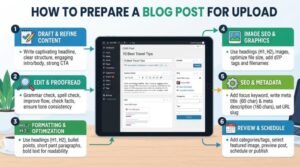
How to Prepare a Blog Post for Upload
Step 1: Choose the Main Keyword
Start by identifying the primary topic and search phrase. For this article, the primary keyword is upload blog post format. Related phrases can then be used naturally throughout the article. Do not create a list of keywords and force every phrase into the content. First understand what the reader wants, then create content that answers that need.
Step 2: Create the Content Structure
Before writing, create a logical outline. Decide what the reader needs to know first, what information should come next, and what practical advice should appear toward the end. A strong outline prevents unnecessary repetition and helps keep the article focused.
Step 3: Write the Introduction
The introduction should answer an important question immediately: “Why should I continue reading?” For example, if someone wants to upload a blog post but does not know how to format it, the introduction should acknowledge that problem and promise a practical solution.
Step 4: Format the Main Content
Use descriptive H2 and H3 headings, short paragraphs, numbered steps, bullet lists, and other formatting elements when they genuinely improve readability. Avoid excessive formatting. Every element should have a purpose.
Step 5: Optimize SEO Elements
Before publishing, prepare the main SEO fields. These commonly include:
- SEO title or meta title
- Meta description
- Permalink
- Focus keyword
- Featured image
- Image alt text
- Internal links
- Relevant external links
Step 6: Add Images and Links
Upload relevant images and place them near the sections they support. Then review the article for opportunities to link to related pages on your own website. If you reference authoritative information, consider adding an appropriate external source.
Step 7: Proofread and Preview
Never publish immediately after finishing the first draft. Read the article again and check spelling, grammar, headings, links, images, spacing, and formatting. Use the WordPress preview function to see how the article appears on the actual website. If possible, check both desktop and mobile layouts.
Upload Blog Post Format for WordPress
WordPress makes publishing relatively straightforward, but a consistent process can help prevent common mistakes.
Adding the Title
Start by entering the main blog title in the title field. Make sure it accurately represents the article. The title should be written for readers first and should not be overloaded with keywords.
Formatting the Content
Paste or write your article into the WordPress editor. Use heading blocks rather than simply making text bold and increasing the font size. Proper heading elements create a meaningful content hierarchy. Use H2 for major sections and H3 for subsections where necessary.
Adding Featured Images
A featured image can represent the article across your website, blog archive, or social sharing areas. Choose an image that relates directly to the subject. Make sure it is appropriately sized and optimized before uploading.
Setting Categories and Tags
Categories help organize your website’s content into broad topics.
Tags can be used when they genuinely improve content organization, but they should not become a collection of every keyword associated with the article. A small, logical taxonomy is generally easier for both users and site managers.
Adding SEO Information
If your WordPress website uses an SEO plugin, you may have dedicated fields for the meta title and meta description. Write a concise meta description that accurately describes the page. Avoid repeating the same phrase unnaturally.
Checking the Permalink
The permalink should be short, descriptive, and easy to understand. For this topic, a clean option is:
/upload-blog-post-format/: Avoid unnecessary numbers, random characters, or excessively long URLs.
Publishing the Post
After reviewing everything, you can publish the article However, publishing should be the final step—not the first time you inspect the completed page. Previewing the article first allows you to catch problems such as broken formatting, oversized images, missing links, awkward spacing, or incorrect headings.
Common Upload Blog Post Format Mistakes to Avoid
Even well-written articles can lose quality because of poor formatting. One common mistake is using multiple H1 headings throughout the article. In most standard WordPress setups, the page title serves as the primary H1, while the rest of the article uses H2 and H3 headings. Another mistake is writing very long paragraphs. Dense blocks of text are difficult to scan, particularly on mobile devices.
Keyword stuffing is another problem. Repeating the same keyword in every heading or paragraph can make the content sound unnatural. Poor image optimization can also create problems. Huge image files may increase page load times without adding meaningful value.
Blog Post Upload Checklist

Before clicking the publish button, use this simple checklist:
- Is the title clear and relevant?
- Does the article satisfy the reader’s search intent?
- Is there one clear primary topic?
- Is the H1 properly used?
- Are H2 and H3 headings logically organized?
- Are paragraphs easy to read?
- Is the introduction engaging?
- Are images relevant and optimized?
- Do images have useful alt text where appropriate?
- Are internal links included naturally?
- Are external references trustworthy and relevant?
- Is the meta title written for searchers?
- Is the meta description concise and accurate?
- Is the permalink short and descriptive?
- Are categories appropriate?
- Are unnecessary tags avoided?
- Have spelling and grammar been checked?
- Have links been tested?
- Has the page been previewed on mobile and desktop?
- Does the article provide genuine value?
Final Thoughts
Upload blog post format is more than a template for placing text into WordPress. It is a practical system for turning information into a clear, readable, and publish-ready web page. Start with the reader’s search intent, build a logical structure, use descriptive headings, keep paragraphs readable, add useful media and links, and complete the important SEO fields before publishing. Most importantly, do not treat SEO formatting as a substitute for quality.
A properly structured article still needs accurate information, original writing, clear explanations, and genuine usefulness. When you consistently follow a clean publishing process, your blog becomes easier to manage and your readers get a much better experience. That combination—useful content plus thoughtful formatting—is the foundation of a strong WordPress blog.
FAQs about Upload blog post format
Q1: What is an upload blog post format?
Ans: An upload blog post format is a structured way of preparing an article before publishing it on a website. It typically includes the title, introduction, headings, body content, images, links, SEO fields, and conclusion.
Q2: What is the best format for uploading a blog post to WordPress?
Ans: A practical WordPress format includes one main H1 title, organized H2 and H3 headings, short paragraphs, relevant images, useful links, an optimized permalink, meta title, meta description, and a clear conclusion.
Q3: Should a blog post have more than one H1 heading?
Ans: In most standard blog layouts, it is best to use one primary H1 for the page title and organize the remaining sections with H2 and H3 headings. The exact technical setup can depend on the website theme.
Q4: How long should a blog post introduction be?
Ans: There is no fixed ideal length, but the introduction should be concise enough to maintain attention while clearly presenting the problem, solution, and purpose of the article. Avoid unnecessary background information.
Q5: Where should the focus keyword appear in a blog post?
Ans: The primary keyword can naturally appear in important areas such as the title, introduction, relevant headings, body content, URL, and SEO fields when appropriate. It should never be repeated unnaturally.
Q6: Do images matter in a blog post format?
Ans: Yes. Relevant images can make content easier to understand and more visually appealing. Images should be properly sized, compressed when appropriate, and given descriptive alternative text when useful.
Q7: Should I add internal links to every blog post?
Ans: Internal links are useful when they help readers find related content. There is no need to add an arbitrary number of links. Focus on relevance and user value.
Q8: What should I check before publishing a WordPress blog post?
Ans: Check the title, headings, content quality, spelling, images, links, permalink, meta information, categories, formatting, mobile appearance, and overall readability before publishing.
Q9: Is blog formatting important for SEO?
Ans: Good formatting can support SEO by making content easier for users to read and search engines to interpret. However, formatting alone does not guarantee rankings. Helpful, trustworthy, relevant content remains the foundation.





One Comment